• Physical Technical Art

    Over the next couple of months I'm going to be blogging mainly on the topic of what I like to call Physical Technical Art, the tangible side of games development. So… what does that mean you say? Game Development in most parts is a software exercise; once concept art and motion capture has been digitized the remainder of production is mainly dedicated to DCC’s, Assets Pipelines and Code. Development can be fraught with unforeseen hurdles and challenges, some of these problems require a team to think outside the software box and this is where Physical Technical Art focuses its solutions.

    A great example of this is the XBox 360 Controller Monitor. This custom hardware enables the capture of the controller’s inputs (buttons and joysticks) and then displays the values on a small board. This board is then framed with the vision from the game and filmed, giving the reviewer a clear connection between the input and the time taken for it to be displayed on screen.

    The following video is a Tear Down of this hardware, a brief overview of the electronics used and how it captures and displays its data:


    Xbox 360 Controller Monitor (Tear Down)

    Latency is an important concern when developing a game, it changes how the game is played and if it's too high the user may get frustrated ruining the experience. The Xbox 360 Controller monitor is a practical and simple solution to this important focus. Yes, input latency can be calculated within the devkit; but having a hardware solution ensures no overheads and enables testing for unprofileable games.

    Ben Heck's Controller Monitor Intro Video

    Ben Heck's Website

    Uno32 (Ardunio) Code: Macro_Controller.Zip

    Fair Child 8Bit Shift Register DataSheet


    If you use something like this or any other physical solutions in your studios, I would love to hear about it. You can contact me via the contacts tab or just leave a comment.

    Cheers
    ~B


  • Qt Overdraw

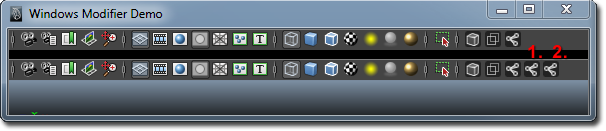
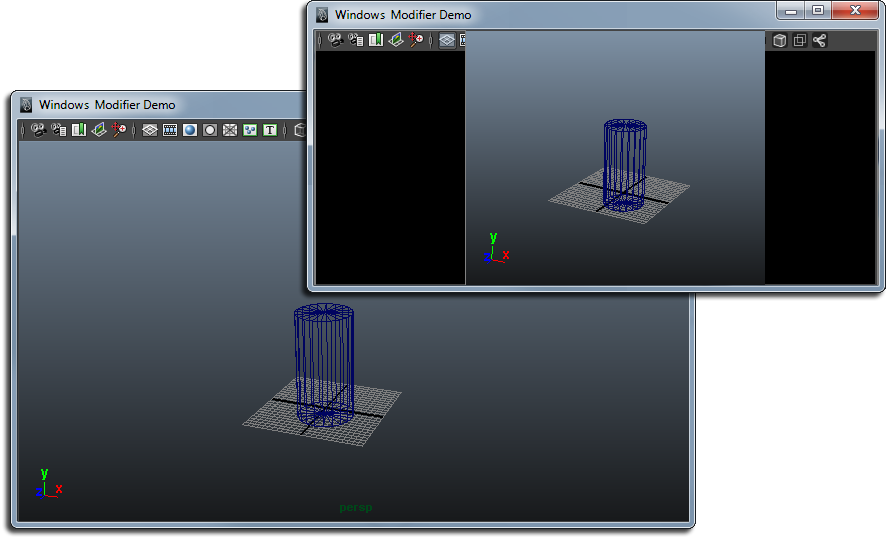
    When I was working on my last tutorial I came across an interesting issue with the Qt UI. I went through all the elements using windows modifier and notices a number of elements that appear to be dupes.

    Maya Perspective window after I started to shift some elements out

    Read the rest of this entry »


  • Dirty Verty Node

    Language: C++ Maya API Node

    Summary: This C++ Maya API node is a compiled version of a Mel script, it assigns a color to a vert based on its convexity to the neighboring edges. This node can either use a color or take a Ramp node. It also includes an option to normalize the convexity values.


  • Shader and Material Definition Creator

    Language: Python, PyMel

    Summary: This Iterates through all the selected object materials and creates optimized hypergraph materials,  material definition and shader files. These can then be used directly by the game engine.


  • Color Tools Node

    Language: C++ Maya API Node

    Summary: This node is a PolyModify Node that works on the vertex colors of a mesh, it enables the user to adjust Hue, Saturation and Value.